null

A PROUD CANADIAN BUSINESS FOR OVER 30+ YEARS!

TV Wall Mounts & Display Brackets

(Showing 9 of 9)
TV & Display Mounting

Four Wall Mounts for Four Different Installation Needs

Choose a TEXONIC tilt or full-motion TV wall mount based on how your screen needs to sit, move and fit the wall.

Start with the type of movement you need, then confirm your TV's weight and VESA mounting pattern. Screen size is useful for narrowing the choices, but it does not confirm compatibility by itself.

Start with Movement

Should the TV Stay Close to the Wall or Move Out from It?

This one decision quickly narrows the range from four mounts to two.

MX4 or LX67

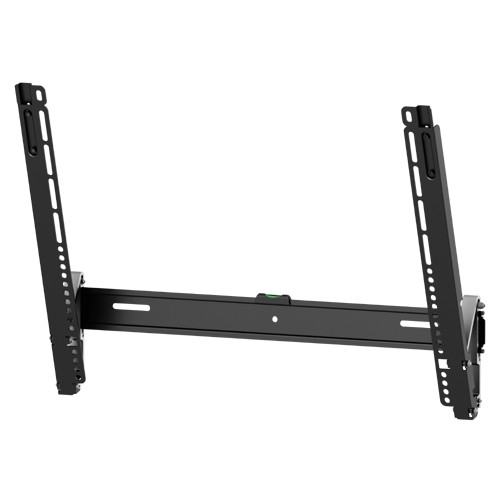
Choose Tilt for a Cleaner, Low-Profile Installation

A tilt mount is a good choice when the television will stay facing one main viewing area. It keeps the screen closer to the wall while allowing angle adjustment when the TV is mounted above normal eye level.

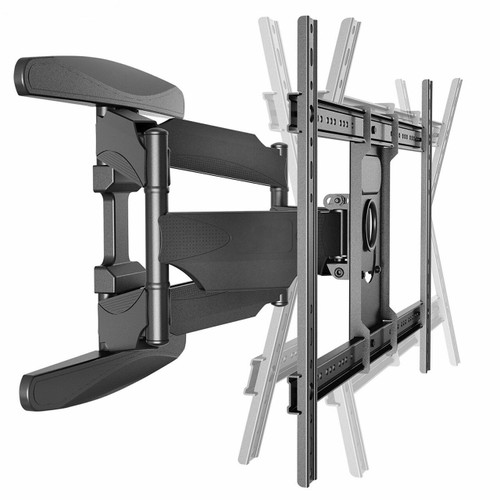
XP6 or MX14

Choose Full Motion When the Viewing Position Changes

A full-motion mount lets the television move away from the wall and turn toward different viewing areas. It also gives easier access behind the display for cables and connections.

Compare the Four Models

Find the Closest Match for Your TV

Use the table as a quick buying guide, then confirm the complete specifications on the individual mount page before ordering.

Model Mount Type TV Size Guide Max. Weight Max. VESA Choose It For
MX4 Low-Profile Tilt 32–55 in 110 lb / 50 kg 400 × 400 Smaller TVs and a slim wall position
LX67 Heavy-Duty Tilt 37–75 in 165 lb / 75 kg 600 × 400 Larger or heavier TVs that do not need an arm
XP6 Full Motion 40–75 in 100 lb / 45.5 kg 600 × 400 Flexible viewing and longer extension
MX14 Heavy-Duty Full Motion 37–90 in 165 lb / 75 kg 600 × 400 Large and heavier TVs that still need movement
Make the Choice Easier

The Main Reason to Choose Each Mount

MX4 Keep It Simple

Pick the MX4 when a compatible 32–55 inch television should sit close to the wall and only needs a small downward tilt.

Approx. 38 mm wall profile • Up to −8° tilt
Shop MX4 Tilt Mount →
LX67 More Load Capacity

Pick the LX67 when the television is larger or heavier but does not need to extend or swivel away from the wall.

Up to 165 lb • −10° to +5° tilt
Shop LX67 Heavy-Duty Tilt Mount →
XP6 More Viewing Flexibility

Pick the XP6 when you want to pull the television forward and redirect it toward different seating or viewing areas.

Extends approx. 19.7 in • Full-motion adjustment
Shop XP6 Full-Motion Mount →
MX14 Large-Screen Full Motion

Pick the MX14 when a larger compatible display needs the strength of a heavy-duty mount plus swivel, tilt and extension.

Up to 165 lb • Extends approx. 16.6 in
Shop MX14 Full-Motion Mount →
Compatibility Check

Check the TV Before You Check Out

A television being within the advertised screen-size range does not automatically mean the mount will fit. Check the TV specifications and installation location first.

1. TV Weight Use the television's weight without the tabletop stand.
2. VESA Pattern Confirm the horizontal and vertical mounting-hole spacing.
3. Wall Structure The wall and fasteners must provide suitable structural support.
4. Rear Connections Check HDMI, power and other connections for adequate cable clearance.
Still Deciding?

Tilt or Full Motion: The Practical Difference

MX4 / LX67 — Choose Tilt

Better when the screen will normally face one viewing area. The installation stays simpler and closer to the wall because there is no articulating arm to pull forward.

XP6 / MX14 — Choose Full Motion

Better when the display needs to turn toward another seating area, extend for viewing, or provide easier access to connections behind the television.

Canadian AV Support

Not Sure Which of the Four Mounts Fits Your TV?

Send AVTECK your television model number. We can help check the screen size, weight and VESA pattern against the available mount options before you order.

Ask AVTECK About TV Mount Compatibility