-
$110.00
-
$119.99
-
$299.99
A PROUD CANADIAN BUSINESS FOR OVER 30+ YEARS!
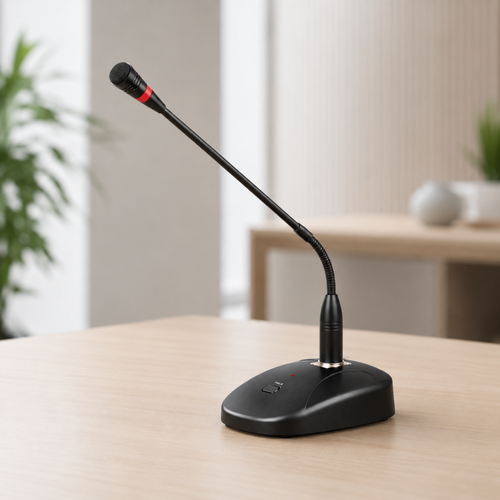
Shop paging microphones in Canada for reception desks, service counters and other fixed announcement points. Choose the paging control that suits your staff, then confirm the microphone is compatible with your amplifier, mixer or PA system.
Start with how staff want to make announcements. The current AVTECK paging microphones provide three straightforward control choices.
A practical choice for everyday announcements when a built-in chime or push-to-talk control is not needed.
View TEXONIC TM-C50P →Adds an attention tone before the spoken announcement when you want people to notice that a page is starting.
View TEXONIC CA241215-T →Gives the operator direct control over when the microphone is active and provides a clear indication during the page.
View CA241215-Q →Confirm that your amplifier, mixer or paging equipment has a compatible microphone input for the model you plan to use.
Some condenser paging microphones can operate from batteries or compatible phantom power. Check the exact microphone and connected equipment.
A standard desk microphone does not automatically add zone selection. If staff need to page selected areas, confirm that the microphone and paging system are designed for that type of control.
Phantom power allows compatible audio equipment to send power to certain microphones through the microphone cable. It is commonly used with condenser microphones.
You do not need to choose a paging microphone based on phantom power alone. First choose the paging control you need, then confirm how that microphone can be powered and whether your amplifier or mixer supports it.
Send AVTECK the model of your amplifier, mixer or paging equipment and tell us how staff need to make announcements. We can help narrow down a compatible option before you order.
Choose a simple tabletop microphone for routine announcements, a chime model when you want an attention tone before speaking, or push-to-talk when the operator should control exactly when the microphone is active.
Not always. Some condenser paging microphones can use compatible phantom power or operate from batteries. Check the exact microphone and connected amplifier or mixer.
Only if the microphone and connected paging equipment are designed for zone selection. A standard desk microphone does not automatically provide multi-zone paging control.
No. The microphone connection, power method and connected equipment must be compatible. Check the amplifier or mixer model before ordering.